
Do you need a website, an app or a PWA?
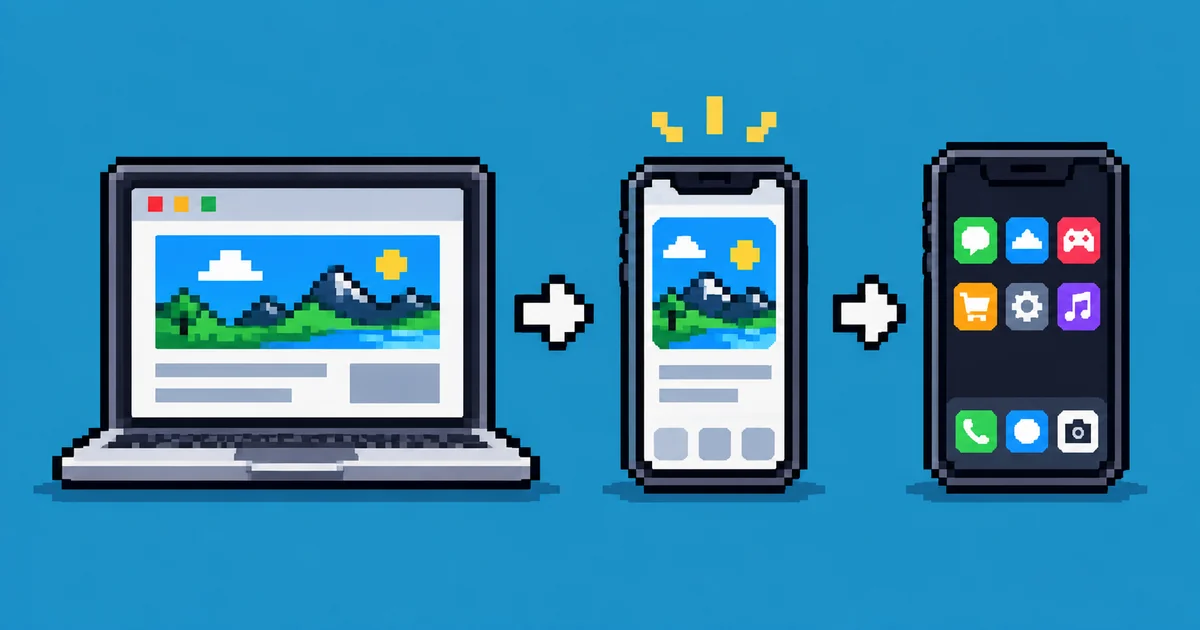
For most businesses a good website is enough, and it's always the place to start. A native app, the kind you download from the App Store or Google Play, makes sense when people will use it often and it needs things only apps can do. A progressive web app, or PWA, sits in between: a website that can be installed on the home screen and behave much like an app.
What each one is
A website opens in the browser from a link or a search. There's nothing to install, it works on every device, and when you change it, the change reaches everyone at once.
A native app is built for iPhone and for Android with each platform's own tools, and people install it from the app stores. It gets the widest access to the phone, including features like Bluetooth and work done in the background.
A PWA is a website with two extra parts. One is a small file that describes it as an app, with a name, an icon and colours. The other is a service worker, a script that can store pages so they work offline and can receive notifications. Visitors can add a PWA to their home screen, where it opens in its own window, without the browser's address bar. As Mozilla's documentation puts it, a PWA runs on many platforms from a single codebase like a website, and can be installed like a native app.
Start with a website
A website is the one thing nearly every business needs, because it's how people find you. Someone searching for what you do lands on a web page, not inside an app.
It also asks the least of your visitors. A link opens it straight away from a message, a social media post or an email. An app asks people to go to a store, wait for a download and give up space on their phone before they've seen anything. For a business they use once or twice a year, that's a lot to ask.
When an app is worth it
A native app earns its cost when people come back often, every day or every week, and the app saves them time on each visit. Banking, ordering from the same café, booking classes at the same gym or a tool someone uses for work are typical cases. Then the icon on the home screen and the notifications pay for themselves.
It's also the right choice when you need features the web doesn't offer everywhere. Web Bluetooth, for example, works in Chrome and Edge but not in Safari or Firefox, according to Can I use. Anything that has to talk to a Bluetooth device from an iPhone therefore needs a native app.
The costs are real, though. You build and maintain two versions, one for iPhone and one for Android, unless you use a cross-platform tool like Flutter or React Native, which lets most of the code be shared. Every update goes through the stores' review before people get it. Apple charges $99 a year for a developer account and Google a one-time $25 fee, and both take a share of digital sales made inside the app, under rules that depend on the store, the country and what you sell.
When a PWA is the smart middle
A PWA fits when you want some of what an app gives you, like regular customers, an icon on the home screen, maybe notifications or offline use, without building and maintaining store apps. There's one codebase, updates reach everyone immediately, and it's still a website, so people can find it through search and share it with a link.
Starbucks is the example everyone cites. Around 2017 it built a PWA for ordering, which let customers browse the menu and put an order together even on a poor connection. According to Formidable, the agency that built it, the PWA weighed 233 KB, 99.84% less than the 148 MB iOS app, and the number of daily active users on the web doubled.
The catch used to be the iPhone. Apple added web push notifications for PWAs saved to the home screen in iOS 16.4, in March 2023. In early 2024 it announced that iOS 17.4 would drop home screen web apps in the European Union, then reversed the decision on 1 March after criticism from developers and attention from the European Commission. PWAs work on iPhones today, but Apple decides how far they can go, and installing one there takes a few taps through Safari's Share menu, which you'll probably have to explain to your users.
A PWA can even go into some app stores. On Android, Google's Trusted Web Activity lets you wrap a PWA in a small app and publish it on Google Play, and Microsoft's store accepts PWAs as well, packaged with its free PWABuilder tool. Apple is stricter. Its review guidelines say an app should offer features, content and an interface that lift it "beyond a repackaged website", so getting into the iPhone App Store usually takes some native work.
A quick way to decide
First, think about how often people will use it. If it's a few times a year, a website is enough. If it's every week or every day, an app or a PWA is worth considering.
Then look at what it needs to do. If everything works in a browser, start with a website or a PWA. If it needs Bluetooth on an iPhone or something else only native apps can do, you need an app.
Finally, be honest about what you can keep running. A website or a PWA is one product. Native apps are two, plus store accounts, reviews and updates for new versions of iOS and Android every year.
For most businesses that adds up to the same answer: a fast, responsive website first, turned into a PWA if regular customers would benefit, and a native app only when there's a clear reason for one.